Step-by-step checklist for running compliant political and social-issue ads on Meta: verify business, authorize advertisers, add disclaimers, audit targeting and privacy.
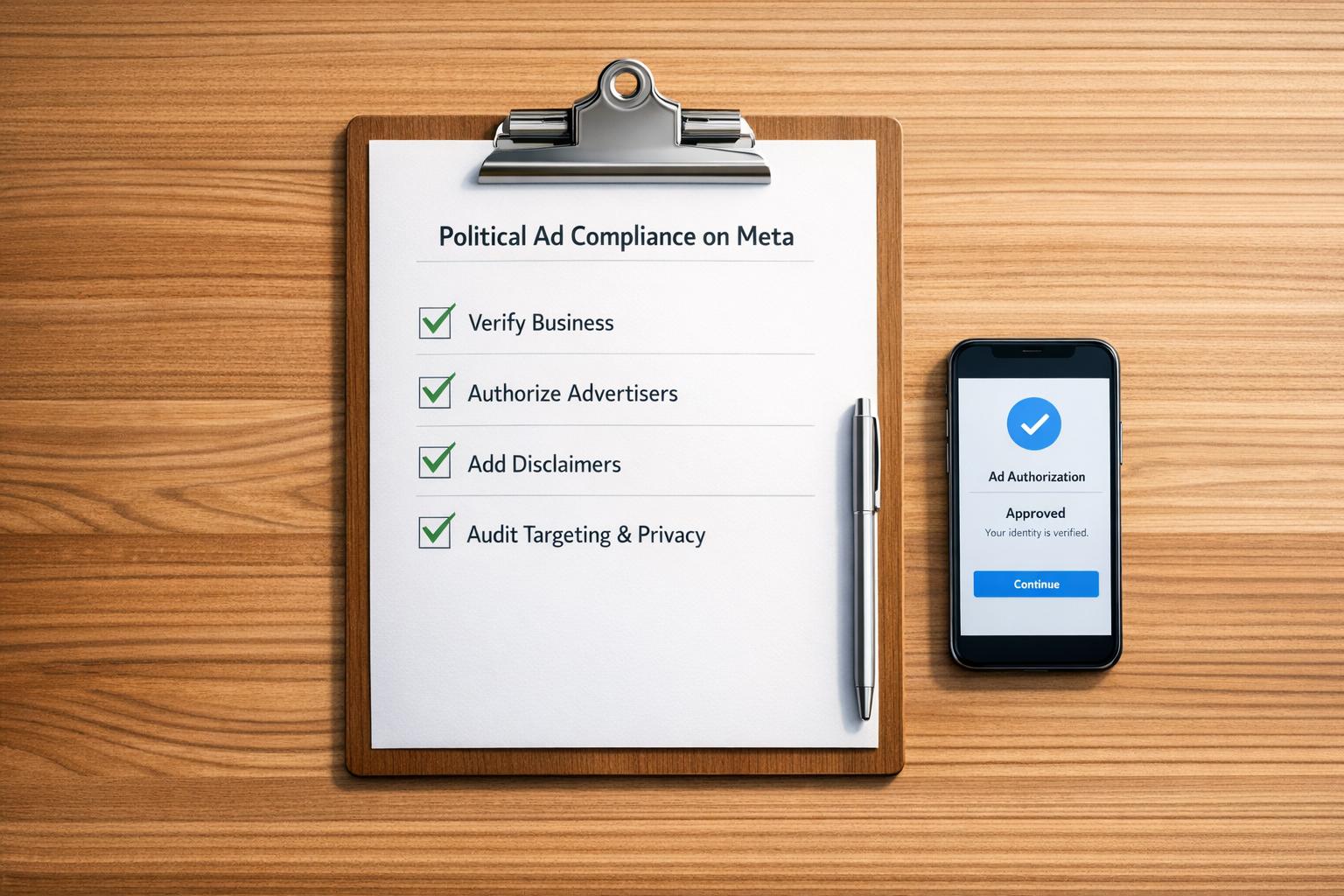
Running political ads on Meta isn’t straightforward. To stay compliant and avoid penalties like ad rejections or account bans, you need to follow Meta’s strict rules. Here’s the process in a nutshell:
Meta’s process requires careful planning, from verifying your business to ensuring ad content and targeting comply with regulations. Starting early is key - authorization alone can take up to two weeks.

7-Step Process for Meta Political Ad Compliance
Getting your Business Manager verified is non-negotiable if you want access to political ad features. Without this step, you won't even be able to start the authorization process.
Head to the Security Center in your Meta Business Settings and look for the "Start Verification" button. If it's greyed out, you'll need to create a Business-type app at developers.facebook.com, link it to your Business Manager, and then try again.
You'll have to provide some key details, including your legal business name, physical address, phone number, and an HTTPS-compliant website URL. These details must match your official documents word-for-word. For example, if your Articles of Incorporation use "Street" but you enter "St.", Meta's system will likely reject your application.
Meta requires two types of documents for verification. One should confirm your legal name, such as Articles of Incorporation or an EIN confirmation letter (Form CP 575). The other should verify your address or phone number, like a utility bill or a bank statement, dated within the last three to six months.
You'll also need to complete domain verification under the "Brand Safety and Suitability" section and enable two-factor authentication (2FA) for all admins in your Business Manager. These steps are mandatory for approval. Typically, the review process takes one to five business days, but manual reviews could stretch it to 14 days.
Only users with "Full Control" (Admin) permissions can start the verification process. For political ads specifically, these admins must also complete personal identity verification using a government-issued ID. Since this process can take two to three weeks, it's a good idea to start well in advance - at least two weeks before your campaign launch.
To manage "Paid for by" disclaimers, users need Facebook full access (Admin) on the relevant Page. For running ads, assign roles like "Ad Account Administrator" or "Ad Account Advertiser." If you're working with an agency, they should verify their own Business Manager and request access to your Page and Ad Account rather than sharing login credentials.
"Business verification confirms the authenticity of a business entity and allows access to advanced features like WhatsApp Business API and custom audience sharing." – Meta [7]
Using a domain-specific email address (e.g., admin@yourcompany.com) can improve your application's trustworthiness. Once your Business Manager and ad account are set up correctly, you can move on to completing advertiser authorization with Meta.
After verifying your Business Manager, the next step is advertiser authorization at the individual level. This process confirms your identity and location, which is essential for creating and managing political ads. Without completing this step, your ads won’t even make it to the review stage.
Once your Business Manager is verified, you’ll need to complete individual authorization for political ads. Start by enabling two-factor authentication (2FA) on your personal Facebook account. Then, go to your Facebook settings and locate the "Identity Confirmation" section. Here’s where you’ll upload a government-issued ID that is valid and unexpired. Accepted forms include a passport, driver’s license, or national ID card. Make sure the name on your ID matches your Facebook profile exactly - every character must align.
When uploading your ID, ensure the image is clear, high-quality (at least 1,500 x 1,000 pixels), and free of glare [10]. Repeated rejections may require you to complete notarized verification [12].
In many areas, Meta will also send a physical verification code to your residential address to confirm your location. This letter usually arrives within 3 to 10 business days [9][10]. Once you receive it, enter the code in your Facebook settings to complete this part of the process.
If you’re running ads on behalf of an organization, there’s an additional step. You can provide credentials such as a Tax ID (EIN), Federal Election Commission (FEC) ID, or a government email domain (e.g., .gov or .mil) to receive a "Confirmed Organization" badge. You’ll also need to create a "Paid for by" disclaimer that includes your organization’s legal name, physical address, phone number, and a domain-specific email address (e.g., name@campaignwebsite.com) [4]. Remember, this contact information will be publicly displayed in Meta’s Ad Library [4].
"This process can take anywhere from 2 to 3 weeks. Because of the variable timelines, we recommend adding this process to the top of your campaign launch 'to-do' list." – Sarah Johnson, SpeakEasy Political [4]
The entire authorization process generally takes about two weeks [10][5]. Reviewing your identity documents alone can take up to seven business days [3]. If you’re waiting for a physical verification code, add another 3 to 7 business days [10]. Once you’re authorized, individual political ads must still go through a separate review, which can take up to 72 hours [5][6].
To prevent delays, it’s best to start the authorization process at least two weeks before your campaign launch date [6][8]. Double-check that your profile details match your ID exactly before submitting. For organization verification, using a domain-specific email address can help build credibility [4]. If your region requires a physical code, keep an eye on your mail to ensure you don’t miss it.
Once you’re authorized, every political ad must include a "Paid for by" disclaimer to identify who is funding the ad. This disclaimer must clearly state the entity or individual paying for the ad. For example, if you’re an agency managing ads for a client, the disclaimer should name the client, not your agency.
To set up your disclaimer, use Admin-level access on a desktop and go to the Page settings. Under the "Issue, electoral or political ads" section, create your disclaimer by providing your organization’s legal name, physical address, phone number, and email address. Keep in mind, this information will be publicly visible in Meta’s Ad Library for seven years [13].
Meta has strict requirements for disclaimers. The organization name must match exactly what appears on your website’s homepage, and the email domain must align with your website URL (e.g., use contact@campaignwebsite.com, not a generic Gmail address). Any discrepancies will result in Meta rejecting your disclaimer [15].
If you provide an Employer Identification Number (EIN) or Federal Election Commission (FEC) ID, your ad will display a "Confirmed organization" badge, which can enhance credibility [11]. Without these credentials, the ad will instead show an "About this ad" icon. Once submitted, disclaimers typically take up to 24 hours to be reviewed [16].
"The exact organization name listed on your 'Paid for by' disclaimer must appear on the homepage of the website provided, or the disclaimer will be rejected." – Meta [15]
Once approved, you must manually link the disclaimer to your ad account. Additionally, when creating campaigns, make sure to select "Social Issues, Elections or Politics" in the Special Ad Category section. Even with an approved disclaimer, forgetting to choose this category will lead to ad rejection [15]. Also, if your website becomes inactive, Meta will pause your disclaimer and any associated ads [15].
With your disclaimer in place, you can move on to managing disclosures for creator collaborations.
For ads involving creators, Meta provides Paid Partnership Tools (previously known as branded content ads) to ensure proper disclosures [14]. These ads display both the brand and the creator in the ad header and must include the "Paid partnership with" label alongside the "Paid for by" disclaimer if the content touches on political or social issues.
In the U.S., partnership ads for political content are allowed only if both the brand and the creator have completed authorization for social issues, elections, or politics [14]. The creator must activate the Paid Partnership Label through Instagram’s Professional Dashboard under "Branded Content" and tag the brand partner. Once tagged, the creator generates a unique partnership ad code for specific posts, which you’ll then use in Meta Ads Manager to promote the content.
When setting up a partnership ad, select the "Social Issues, Elections or Politics" category and ensure your approved disclaimer is linked to the ad account. Both the brand and the creator must complete identity verification if the ad deals with regulated political topics. For ongoing collaborations, you can request account-level permissions in Meta Business Suite, which eliminates the need to generate individual codes for each post [14].
After finalizing these disclosures, you’ll be ready to review your ad content for compliance in the next step.
Make sure your ad content aligns with Meta's policies. Ads covering prohibited topics are promptly flagged and rejected by Meta's automated tools and review systems [17][19]. To avoid issues, follow these guidelines carefully.
Meta enforces strict rules against voter interference. This includes any content that discourages voting, questions election legitimacy, or declares victory prematurely [17]. You also cannot use lead forms to request information about political affiliation, voting intentions, or support for specific candidates [18]. Ads making claims that vaccines are unsafe, deadly, or ineffective are also prohibited [18][21].
Standard restrictions apply as well: hate speech, discriminatory practices, profanity, and shocking or violent content are not allowed [18]. Ads containing misinformation or content debunked by third-party fact-checkers will also be rejected [18]. If your ad uses AI-generated media to depict real people or events inaccurately, you must disclose this clearly [17][2].
"Lower quality ads which do not necessarily violate our policies may experience impacted performance." – Meta [18]
Before publishing, consult the Meta Ad Library at facebook.com/ads/library. This public database provides examples of compliant ads, stores all political and social issue ads for seven years, and includes data on spending and reach [25][2]. These checks can help improve your ad’s credibility and engagement.
Be aware of additional scrutiny for ads addressing sensitive social topics. Meta classifies an ad as a "social issue ad" if it mentions political figures, advocates for policy changes, encourages contacting officials, or provides voting information [21].
Topics like healthcare, immigration, civil rights, education, and environmental policy often require authorization in certain countries [17][3]. Meta reviews not only your ad’s content but also your landing page to ensure alignment with its social issue policies [21]. Your destination URL must match your ad content and clearly identify the advertiser listed in your disclaimer [3][20].
Regional restrictions are also important to note. Starting October 2025, political and social issue ads will be banned in the European Union, and ads related to local officials, elections, or legislation are already prohibited in Washington state [17][2]. To ensure proper compliance, always select the "Social Issues, Elections or Politics" category during campaign setup in Ads Manager [3][2].
When running political ads on Meta, it's crucial to follow their strict targeting rules. These rules are far stricter than those for standard campaigns, and failing to comply will result in your ads being rejected immediately.
Political ads come with specific location-targeting limitations. For instance, you cannot use ZIP code–level targeting or exclude particular neighborhoods. Ads may only target broader areas like cities, states, or entire countries.
Meta also enforces unique restrictions in certain regions. For example, ads tied to Washington state politics - covering elected officials, candidates, elections, or ballot initiatives - cannot target users within the state. According to Meta’s Transparency Center:
"Ads must not run in or be targeted at the state of Washington when the ads relate to Washington's state or local elected officials, candidates, elections or ballot initiatives" [17].
This restriction extends to ads about Seattle-specific legislation.
Looking ahead, changes are coming to the European Union. Starting in October 2025, Meta will stop allowing social issue, electoral, or political ads in the EU due to the Transparency and Targeting of Political Advertising (TTPA) regulation [2].
Election cycles also introduce blackout periods. During the 2024 U.S. election, Meta implemented a restriction from October 29 to November 5. During this time, no new ads could be launched, and existing ads couldn’t be edited for creative, placement, targeting, or optimization. Ads had to have at least one impression recorded before 12:01 AM PT on October 29 to stay active [26]. Neil Shrimanker from Meta explained:
"Once the restriction period begins, advertisers can adjust the bid amount, budget amount, and scheduled end date... No other editing capabilities are permitted" [26].
Additionally, political advertisers can only target the country where they’ve completed the required authorization process. Running ads in multiple countries means repeating the authorization process for each location, and payments must be made in the corresponding local currency.
Once you’ve ensured your targeting complies with all these rules, it’s time to double-check your ad delivery metrics.
The Meta Ad Library (facebook.com/ads/library) is an essential tool for monitoring political ads. Within 24 hours of launching an ad, use the library to confirm its delivery and compliance. By applying the "Issues, Elections or Politics" filter, you can search for your Page or relevant keywords and review key metrics.
Click "See Ad Details" on individual ads to check spend ranges (e.g., $1,000–$5,000 USD), impression counts (e.g., 1,000–5,000 impressions), the regions where your ad appeared, and audience demographics like age and gender. This ensures your ads are reaching the right people [27].
If you notice a shield icon on any ad, it’s a red flag - this indicates the ad was disapproved or disabled, possibly for violating standards or missing a required disclaimer [27]. The library also shows your "Paid for by" disclaimer exactly as users see it, giving you a chance to correct any formatting mistakes before they lead to compliance issues.
For a broader view of your targeting, check the "Ad Library Audience" tab. This feature aggregates targeting criteria - such as interests, demographics, and locations - used at the Page level over 7-, 30-, or 90-day periods [27]. It’s a helpful way to ensure your targeting aligns with Meta’s rules while meeting your campaign objectives.
Political ads on Meta require strict adherence to privacy laws. In 2024, European regulators issued over €2.92 billion in GDPR fines, many of which stemmed from improper Meta Pixel setups [28]. In the U.S., the stakes are also high - violating the CCPA can lead to penalties of up to $7,500 per violation [28]. With 19 state privacy laws expected to be in effect by 2025, advertisers must navigate a patchwork of consent and disclosure rules [29]. Addressing these privacy requirements is critical to keeping your campaign compliant.
Before collecting any data through tools like Meta Pixel or Conversions API (CAPI), you need explicit user permission. Meta's Consent Mode allows you to request consent before activating tracking. If a user opts out, Meta uses statistical modeling to estimate conversions while respecting privacy.
To comply, update your Pixel code to start with fbq('consent', 'revoke');, ensuring no data is collected until you have explicit consent [29]. Use a Consent Management Platform (CMP) like OneTrust or Cookiebot to block tracking technologies until permission is granted [28]. These platforms also provide tamper-proof audit logs - tracking timestamps, consent categories, IP addresses, and consent methods - which can be essential if regulators or Meta request documentation [29].
For server-side tracking with CAPI, configure your systems to exclude personal identifiers like hashed emails or phone numbers unless you have documented consent [29]. On lead forms, include clear disclosures - positioned prominently above the "submit" button - using simple language like "personalizing your ad experience", rather than technical jargon like "data processing" [28]. To stay compliant, set up automated reminders to re-prompt users for consent every 12 to 13 months, as required by local laws [28].
These tracking protocols help ensure your practices align with regional privacy standards.
Securing consent is just the first step - your tracking methods must also comply with legal frameworks. GDPR requires explicit opt-in consent for ad tracking in the European Economic Area and the UK, while CCPA generally allows California residents to opt out of tracking [29]. Meta's Limited Data Use (LDU) feature can help meet CCPA requirements by restricting data processing for users who opt out of personalized advertising [29].
A 2024 ruling by Swedish authorities fined pharmacy chains €15 million for using Meta Pixel without proper consent. The decision clarified that website owners, not Meta, are responsible for ensuring compliance with GDPR [28]. This makes it crucial to adapt consent experiences based on location. For example, use explicit opt-in banners for EEA/UK users and offer a "Do Not Sell" opt-out option for California residents [29].
Your landing pages should clearly explain why data is being collected, how long it will be stored, and whether it will be shared with Meta. Avoid technical language and ensure these details are easy to understand [28]. Use Meta's Event Manager to confirm that consent signals are correctly transmitted and that your Pixel or CAPI adjusts its behavior accordingly [28]. Under GDPR, non-compliance fines can reach up to €20 million or 4% of your annual global revenue, whichever is greater [28]. Double-checking your setup is not optional - it's essential.
As you approach the launch of your campaign, take the time to conduct a final compliance check. This step is crucial to avoid unnecessary rejections or delays. Meta uses a two-stage review process: an automated system scans for keywords and images, followed by a manual review if the system can't confidently classify the ad [3]. This process can take up to 72 hours [5], so skipping a thorough pre-launch review could jeopardize your campaign timeline. A detailed audit now saves time and effort later.
Meta's automated systems screen political ads, but third-party compliance tools can help you catch issues before submission. For example, in 2024, an advertising agency used AdAmigo.ai's tools for automated compliance checks and real-time audits, leading to a 40% drop in ad rejections and a 25% boost in campaign efficiency [3]. These tools can identify potential violations, such as "Personal Attributes" or "Misleading Claims", before you submit your ad [3].
Make sure to select the "Social Issues, Elections or Politics" category in Ads Manager, as this is necessary for attaching the required disclaimer during the pre-launch phase [5]. Additionally, ensure your landing page aligns with your "Paid for by" disclaimer. If your ad includes AI-generated or altered content, apply Meta's digital content labeling [3]. Lastly, double-check your targeting settings to ensure you're not using restricted options like ZIP code-level targeting, location exclusions, or advanced demographic/interest-based targeting [3].
Once you've confirmed your ad meets technical requirements, keep an eye on policy changes that could affect your compliance.
After completing your diagnostic checks, stay vigilant about policy updates. Meta's political ad policies can change frequently, and regional updates may have a significant impact. For instance, as of October 2025, Meta banned all social issue, electoral, or political ads within the European Union due to TTPA regulations [3]. To stay informed, consult the Meta Transparency Center's "Change Log", which tracks policy updates [22][24]. It's a good habit to review this monthly or before launching any new campaign.
If your ad is rejected, don't delete it immediately. Instead, use the Meta Business Support Home to identify the specific policy violation. Deleting the ad removes your ability to file a manual appeal [23]. You can also check your ad's public transparency by searching the Meta Ad Library, where political ads remain accessible for seven years [5][2].
"Our global team of over 15,000 reviewers work every day to keep people on Facebook safe" [22].
Remaining informed and proactive about policy changes is key to running a compliant and successful political campaign.
Running political ads on Meta demands careful planning and adherence to guidelines. From initial setup to final pre-launch checks, every step plays a role in ensuring your campaigns remain active and compliant.
Meta’s policies for political ads are constantly changing. For instance, the platform introduced six updates between January and August 2024 alone [22]. One of the newer requirements includes disclosing "photorealistic" AI-generated media starting in 2024 [22][30]. These updates often address advancements in technology and shifting regional regulations. Missing these changes can lead to immediate ad disapprovals or even penalties [22].
To stay ahead, review the Meta Transparency Center's change log monthly [22]. Begin your advertiser authorization process at least two weeks before launching your campaign to handle identity verification and disclaimer approvals smoothly [1]. Ensure AI-modified content is disclosed, landing pages function properly, and that your "Paid for by" disclaimers are always up to date [3][19].
For campaigns that need professional Meta Ads management, Dancing Chicken offers robust solutions. Their services include data-driven strategies, real-time analytics dashboards, and custom advertising plans designed to boost campaign performance while staying fully compliant with Meta’s policies. They also provide 24/7 support for seamless campaign management.
Meta classifies an ad as political or related to social issues if it addresses topics such as elections, candidates, political parties, or advocacy for specific election results. Advertisers aiming to run these types of ads - particularly when targeting U.S. audiences - must go through an authorization process. If your ads touch on social issues, politics, or elections, make sure to review Meta's policies carefully to stay in compliance.
To address a rejected "Paid for by" disclaimer on your Meta ads, start by checking the rejection notice in Ads Manager. Carefully review the feedback provided, then update the disclaimer to align with Meta's transparency standards. Double-check that all details are correct and meet the platform’s policies before resubmitting the ad for review. Taking these steps ensures a faster approval process and helps keep your campaign on track without unnecessary interruptions.
Meta has strict guidelines that prohibit targeting or excluding people based on personal characteristics such as race, ethnicity, religion, age, gender, sexual orientation, family status, disability, or medical conditions. Additionally, ads must steer clear of any content that could be seen as discriminatory, ensuring compliance with Meta's advertising policies and standards.
When it comes to Meta ads, many brands don’t realize just how profitable the platform can actually be. Or even worse, an agency overpromised and underdelivered... leaving them frustrated with a fortune spent on ineffective campaigns.
Our clients see amazing results from Meta ads. That’s because we cover every angle—from targeted reach to dynamic creative testing to retargeting and more. With our full-funnel strategy and deep platform expertise, we make sure your Meta ads drive maximum profitability, every step of the way.
%20(1).png)
.svg)
